A few weeks ago, my friend called me and said he was building a small financial app by following a tutorial. Nothing fancy — just something to ask GPT about his recent transactions and get spending advice. So far this was good.
He had pasted his credit card number, his name, and his email address directly into an OpenAI API call. That data was now sitting on someone else’s server, somewhere he had no control over and he never thought about it.
That moment stuck with me. And honestly, it’s probably happening to a lot of developers right now without them even noticing. All because of they don’t understand how these models works behind scenes and how AI Providers train their LLMs, but still want to do vibe coding to tell others that they wrote programs that use LLMs.
The Problem (It’s Simpler Than You Think)
Here’s the thing. When you call OpenAI, Claude, Gemini, or any external AI API, your prompt goes over the internet to their servers. For most prompts that’s totally fine. Nobody cares if you asked GPT to explain recursion or write a haiku about cats.
But the moment you put real data in there — a name, an SSN, a credit card, a home address — you’ve handed it over. You don’t control how long they keep it, who sees it, or whether it gets used for training.
Think of it like this: calling an AI API is like mailing a postcard. Everyone along the delivery route can read it. You wouldn’t write your bank account number on a postcard, right? But that’s basically what we do when we stuff sensitive data into API prompts.
Here’s a quick example of how this sneaks up on you:
prompt = f"""
Analyze this portfolio and suggest improvements:
- Account: {user.bank_account}
- Holdings: {user.stock_positions}
- SSN: {user.ssn}
"""
response = openai.chat.completions.create(
    model="gpt-4",
    messages=[{"role": "user", "content": prompt}]
)
Looks innocent, right? But every variable in that f-string just left your machine. And once it’s gone, it’s gone.
Why Not Just Run Everything Locally?
The obvious answer is: “Just run the AI model on your own machine.” And yeah, you can do that now with tools like Ollama. I use it myself. But here’s the catch — local models are smaller, and smaller means less capable.
A model like Llama 3.2 (3 billion parameters) runs great on a MacBook. It can handle basic tasks, summarize text, extract information. But ask it to do complex financial reasoning or analyze a 20-page legal document? It’ll struggle. For that, you still need the big guns like GPT-4 or Claude.
So you’re stuck between two choices: powerful AI that you can’t trust with your data, or private AI that can’t handle the hard stuff.
I didn’t want to pick. I wanted both.
My Solution: Mask First, Ask Later
The idea hit me one day and it was almost embarrassingly simple. What if I just… replaced all the sensitive stuff with placeholders before sending it to the API? Then when the response came back, I’d swap the placeholders back to the real values.
It’s like redacting a document before handing it to someone. They can still read the structure, understand the question, and give you a useful answer — they just never see the actual private bits.
Here’s what the flow looks like:
# What you WANT to ask:
"My name is Sarah Johnson. My card 4111-2222-3333-4444 was charged $500."

# What the API ACTUALLY sees:
"My name is [NAME_1]. My card [CREDIT_CARD_1] was charged $500."

# What the API responds with:
"Hello [NAME_1], the $500 charge on [CREDIT_CARD_1] looks like..."

# What YOU see after unmasking:
"Hello Sarah Johnson, the $500 charge on 4111-2222-3333-4444 looks like..."
The API does its job perfectly fine with placeholders. It doesn’t need your actual credit card number to give you advice about a suspicious charge. It just needs to know there IS a credit card involved.
Think of it like going to a doctor with a mask on. The doctor can still examine you, diagnose the problem, and prescribe treatment. They don’t need to see your face to help with your knee pain.
So I Built It
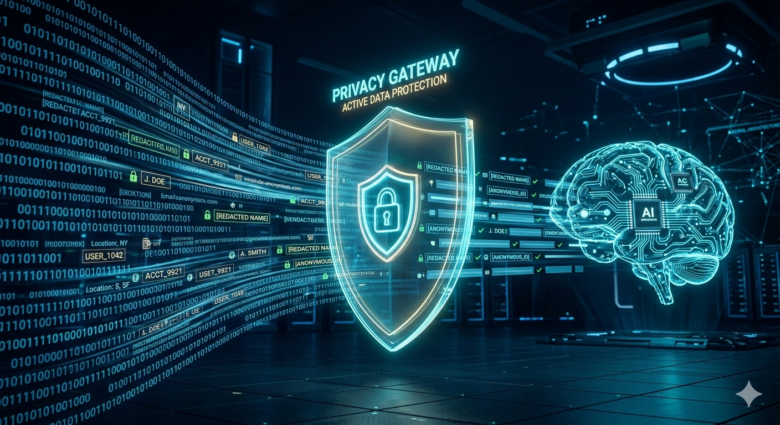
I turned this into a project I’m calling Sensitive Data Protector. It’s a Python tool with a simple concept at its core: a PrivacyGateway class that sits between you and any AI API.
The gateway does three things:
- Detect — scans your text for things that look like credit cards, SSNs, emails, phone numbers, and names
- Mask — replaces each piece of sensitive data with a placeholder like
[SSN_1]or[EMAIL_1] - Unmask — after the API responds, swaps the placeholders back to the real values
The mapping between placeholders and real values? That stays on your machine. It never goes anywhere.
Using it in code is about as straightforward as it gets:
from privacy_gateway import PrivacyGateway

gateway = PrivacyGateway()

# Step 1: Mask
masked_text, mapping = gateway.mask("My SSN is 123-45-6789 and email is john@example.com")
# masked_text: "My SSN is [SSN_1] and email is [EMAIL_1]"
# mapping: {"[SSN_1]": "123-45-6789", "[EMAIL_1]": "john@example.com"}

# Step 2: Send masked_text to OpenAI (or Claude, Gemini, whatever)
ai_response = call_your_api(masked_text)

# Step 3: Unmask
final = gateway.unmask(ai_response, mapping)
# "Your SSN 123-45-6789 is valid" (real values restored)
Two Ways to Detect Sensitive Data
I built two approaches into the project, because I realized one size doesn’t fit all.
Approach 1: Regex (Fast and Simple)
The first approach uses good old regular expressions. Credit card numbers follow a pattern (16 digits, sometimes with dashes). SSNs are 9 digits in a specific format. Emails have that @ symbol. Regex catches these quickly and reliably.
The downside? Regex is dumb. It matches patterns, not meaning. It won’t catch a name like “Sarah Johnson” unless it appears right after “my name is.” It can’t detect a street address by understanding context.
Approach 2: Local LLM (Smarter but Slower)
The second approach uses a local LLM running through Ollama. I ask a small model like Llama 3.2 to look at the text and identify all the PII in it. Because it actually understands language, it catches things regex misses — names in unusual formats, street addresses, dates of birth, that kind of thing.
The tradeoff is speed. Regex runs in milliseconds. The local LLM takes 30-60 seconds. But for sensitive applications where you really can’t afford to miss anything, it’s worth the wait.
And here’s the beautiful part: the local LLM runs entirely on your machine. So even the PII detection step doesn’t leak any data. It’s private all the way down.
Where This Actually Matters
This isn’t just a toy demo. Here are some real scenarios where this kind of approach makes a difference:
Finance apps. You want AI to analyze your spending, but you don’t want your account numbers and transaction details sitting on OpenAI’s servers. Mask the specifics, keep the structure, get useful advice.
Health apps. An AI fitness coach is great, but your heart rate data and medical history should stay private. Process the raw data locally, send only trends and summaries externally.
Legal docs. Need AI to review a contract? Replace party names with PARTY_A and PARTY_B, mask the dollar amounts, and let the AI focus on the legal structure. Restore the real names on your end.
Customer support tools. If you’re building anything that handles customer messages, those messages are full of PII. Names, order numbers, addresses. Mask it all before your AI generates a response.
It’s Not Just About Privacy
When I started building this, I only cared about privacy. But I accidentally stumbled into a few other benefits:
It saves money. API calls are priced by token count. If you use a local model for preprocessing and only send the essential, cleaned-up prompt to the external API, you use fewer tokens. My API bills went down noticeably.
It makes you vendor-independent. Since the privacy gateway doesn’t care which AI API you use, switching from OpenAI to Claude to Gemini is just changing one function call. Your data handling stays the same.
Compliance gets easier. If you work in healthcare (HIPAA), finance (PCI-DSS), or deal with European users (GDPR), proving that sensitive data never left your infrastructure is a huge deal. With this setup, you can point to exactly what was sent externally and what stayed local.
The Web Demo
I also built a web UI for this project because honestly, seeing data get masked and unmasked in real-time is way more convincing than reading about it. The demo walks you through each step visually:
- You paste in text with sensitive data
- It highlights all the PII it found
- It shows you the masked version (what the API sees)
- It shows the mapping (stored locally)
- It calls OpenAI with the masked text
- It unmasks the response and shows you the final result
You can toggle between regex detection and local LLM detection to see the difference yourself.
Try It Yourself
The whole project is open source and takes about two minutes to set up:
Get the Code GitHub: github.com/ivaturia/sensitive-data-protector git clone https://github.com/ivaturia/sensitive-data-protector.git cd sensitive-data-protector pip install -r requirements.txt # Run the CLI demo python main.py # Or launch the web UI python app_simple.py # Opens at http://localhost:5002 –> This is for experimenting Regex PII Detection python app.py # Opens at http://localhost:5001 –> This is for experimenting Local LLM PII DetectionYou’ll need an OpenAI API key. If you want to try the local LLM approach, install Ollama and pull a model:
ollama pull llama3.2
ollama serve
What I’d Do Differently in Production
Let me be upfront: this project is a demo, not production-ready software. If I were building this for a real application, I’d change a few things:
- I’d use Microsoft Presidio or spaCy’s NER models instead of regex for PII detection. They’re battle-tested and catch way more edge cases.
- I’d add encryption to the local mapping storage. Right now the mapping is just a Python dictionary in memory. For a production app, you’d want that encrypted and properly secured.
- I’d build in logging to create an audit trail of what was masked and when, without logging the actual PII values.
- I’d add more PII types. The demo covers the common ones (credit cards, SSN, email, phone, names), but real-world data has passport numbers, driver’s licenses, IP addresses, and more.
But even as a demo, it proves the concept works. And honestly, even a simple regex-based masker is infinitely better than sending raw PII to an external API.
Wrapping Up
If you’re building anything that touches personal data and talks to an AI API, take a few hours and add a privacy layer. Your users won’t see it, but they’ll benefit from it. And the first time you read about a data breach at some AI company, you’ll be really glad you did.
Go check out the project on GitHub, play with the demo, break it, improve it.
Note: I have taken help of Cursor to generate code for me and published the code to GitHub. Credit goes to cursor for code generation.